
Toyota Sienna Service Manual: Accessory meter
COMPONENTS
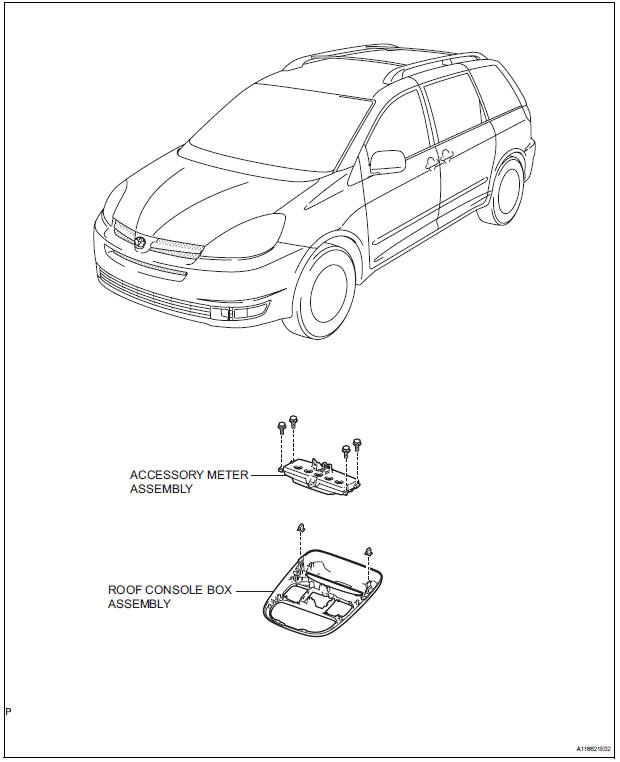
 Installation
1. INSTALL COMBINATION METER ASSEMBLY
Connect the connectors.
Install the combination meter assembly with the 4
screws.
2. INSTALL INSTRUMENT CLUSTER FINISH PANEL SUB-ASSEMB ...
 Calibration
1. SELECT COMPASS DISPLAY MODE
The MODE switch allows you to select the Display
or Non-display mode of the compass.
HINT:
In compass display mode, the display indicates
outside temper ...
Other materials:
Inspection
1. INSPECT UNDERDRIVE PACK CLEARANCE
(a) Install the underdrive clutch to the transaxle case.
NOTICE:
Be careful not to damage the oil seal rings.
(b) Install a dial indicator as shown in the illustration.
(c) Measure the underdrive clutch pack clearance while
applying and releasing comp ...
A/F Sensor Circuit Slow Response
HINT:
DTC P2A00 indicates malfunctions related to the bank 1 A/F sensor.
DTC P2A03 indicates malfunctions related to the bank 2 A/F sensor.
Bank 1 refers to the bank that includes cylinder No. 1.
Bank 2 refers to the bank that includes cylinder No. 2.
Sensor 1 refers to the sensor mo ...
Turning on the high beam headlights
With the headlights on, push
the lever away from you to turn
on the high beams.
When the light switch is in
position, the Automatic High Beam
system will be activated.
Pull the lever toward you to the
center position to turn the high
beams off.
Pull the lever toward you and ...
