
Toyota Sienna Service Manual: Front passenger airbag assembly
COMPONENTS
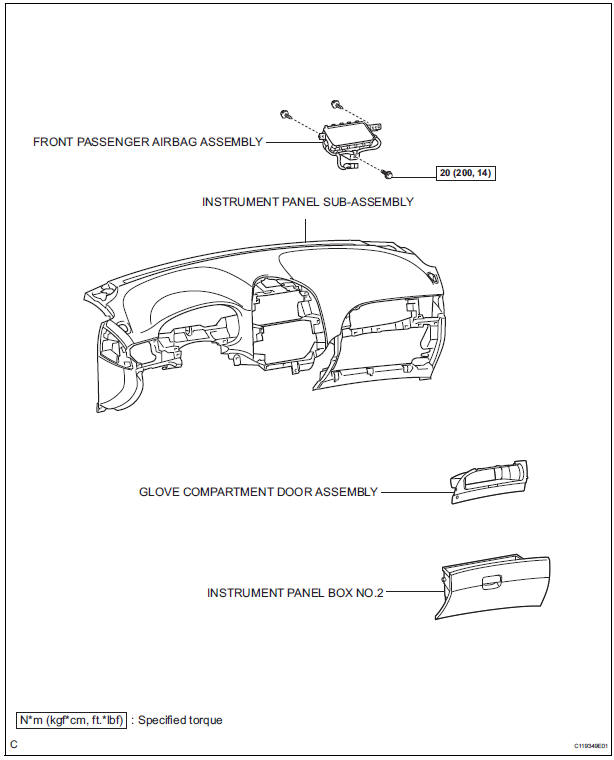
 Installation
1. INSTALL SPIRAL CABLE
Check that the front wheels are facing straight
ahead.
Set the turn signal switch to the neutral position.
NOTICE:
If it is not in the neutral pos ...
 On-vehicle inspection
1. INSPECT FRONT PASSENGER AIRBAG ASSEMBLY
(VEHICLE NOT INVOLVED IN COLLISION)
Perform a diagnostic system check.
With the front passenger airbag assembly installed
on the veh ...
Other materials:
Door control switch
INSPECTION
1. INSPECT DOOR CONTROL SWITCH ASSEMBLY
Measure the resistance according to the value(s) in
the table below.
Standard resistance
HINT:
If the result is not as specified, replace the switch. ...
Clock
PARTS LOCATION
On-vehicle inspection
1. INSPECT INTEGRATION CONTROL & PANEL ASSEMBLY
Disconnect the A9 connector.
Measure the voltage according to the value(s) in the
table below.
Standard voltage
Measure the resistance according to the value(s) in
the ...
Precaution
NOTICE:
Perform the RESET MEMORY (AT initialization) when
replacing the automatic transaxle assembly, engine
assembly or ECM (See page AX-16).
Perform the REGISTRATION (VIN registration) when
replacing the ECM (See page ES-15).
HINT:
RESET MEMORY can not be ...
