
Toyota Sienna Service Manual: Ignition system
Parts location

System diagram
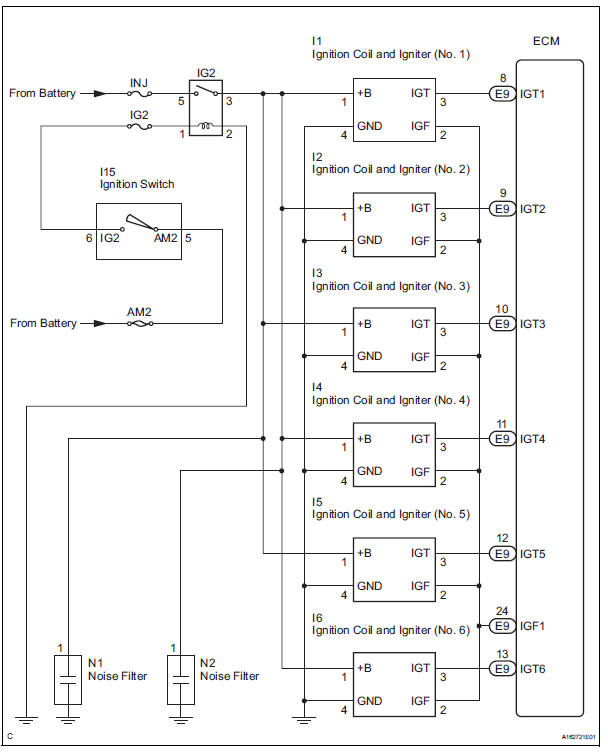
 Engine
...
 Ignition coil and spark plug
Components
...
Other materials:
Selecting the audio
source
Switching between audio sources such as radio and CD are
explained in this section.
Changing audio source
Press the “AUDIO� button to display the audio source selection
screen.
If the audio source selection screen is not displayed, press the “AUDIO�
button again.
Select the des ...
Operation check
1. REMOVE CHECK FUNCTION
Check that the key reminder warning buzzer
sounds.
With the driver side door closed, insert the key
into the ignition key cylinder and then turn the
key to LOCK or ACC.
Check that the buzzer sounds intermittently if
the driver side door ...
Rear view monitor system precautions
Area displayed on screen
The rear view monitor system
displays an image of the view
from the bumper of the rear
area of the vehicle.
The image on the rear view monitor system can be adjusted.
The area displayed on the
screen may vary according to
vehicle orientation conditions.
...
