
Toyota Sienna Service Manual: Removal
1. REMOVE INSTRUMENT PANEL SAFETY PAD SUBASSEMBLY
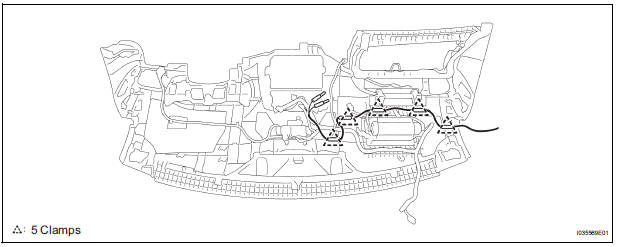
2. REMOVE ANTENNA CORD SUB-ASSEMBLY
- Replace the 5 clamps and remove the antenna cord sub-assembly.
3. REMOVE PULL TOP ANTENNA POLE SUBASSEMBLY
4. REMOVE ANTENNA ORNAMENT
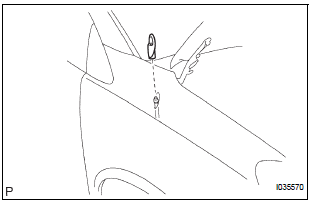
- Remove the antenna ornament.
5. REMOVE ANTENNA ASSEMBLY WITH HOLDER
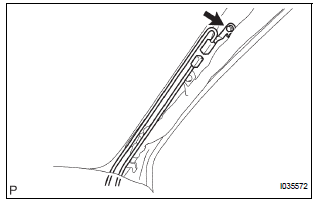
- Disconnect the connector and remove the bolt.
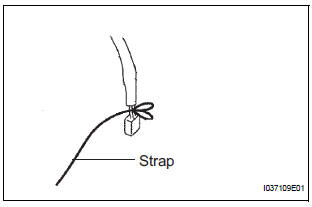
- Tie the string at the tip of the cable of the antenna assembly with holder.
HINT: Leave the string in the vehicle. It will be used when installing the antenna assembly with holder.

- Remove the nut and the antenna assembly with holder.
6. REMOVE ROOF HEADLINING ASSEMBLY
7. REMOVE AMPLIFIER ANTENNA ASSEMBLY
- Disconnect the connectors.
- Remove the 3 bolts.
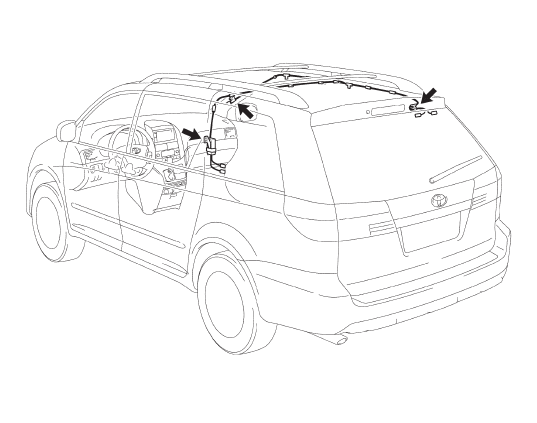
- Disengage the 16 clamps and remove the amplifier antenna assembly.
 Radio antenna cord
COMPONENTS
...
 Installation
1. INSTALL AMPLIFIER ANTENNA ASSEMBLY
Engage the 16 clamps to install the amplifier
antenna assembly.
Install the 3 bolts.
Connect the connectors.
2. INSTALL ROOF HEAD ...
Other materials:
On-vehicle inspection
1. INSPECT BRAKE PEDAL HEIGHT
(a) Check the brake pedal height.
Pedal height from dash panel:
150.3 to 160.3 mm (5.917 to 6.311 in.)
NOTICE:
Do not adjust the pedal height. Doing so by
changing the push rod length will structurally
change the pedal ratio.
2. CHECK AND ADJUST STOP LIGHT S ...
Charge Warning Light Comes ON while Driving
INSPECTION PROCEDURE
1 CHECK LOCK FUNCTION OF CLUTCH PULLEY
(a) Check the lock function with the pulley installed in the
vehicle.
(1) Visually check that the rotor in the generator
operates with the engine started.
(b) Check the lock function with the pulley removed from the
vehicle.
( ...
Slide Door Closer LH does not Operate
DESCRIPTION
The slide door ECU LH controls the slide door closer. In response to the
output signals from the switches
in the slide door lock, the slide door closer drives the closer motor.
HINT:
The slide door closer system operates regardless of the power slide door main
switch ON / OFF.
W ...
