
Toyota Sienna Service Manual: Stereo component amplifier
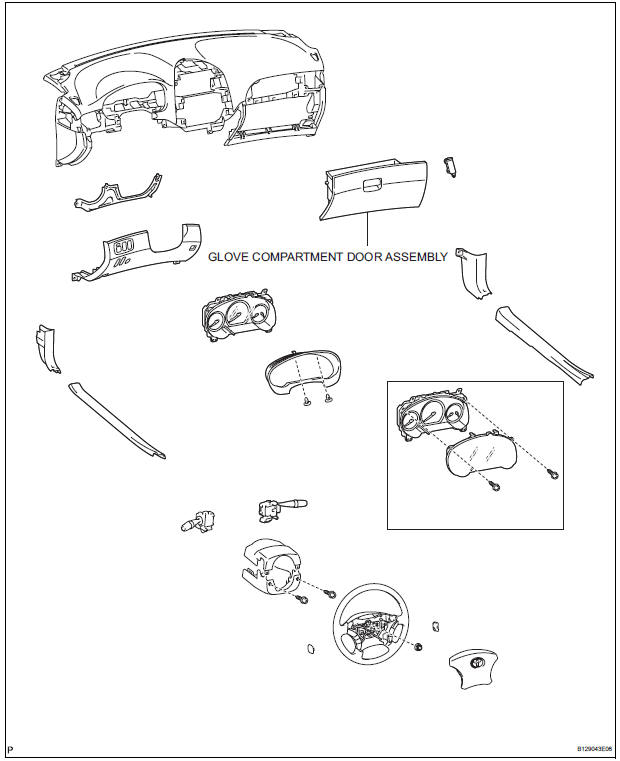
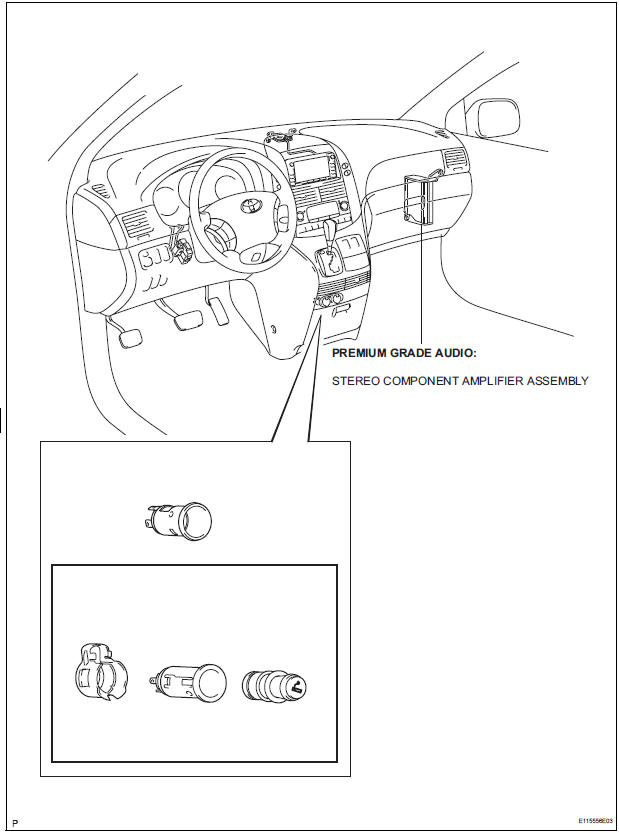
COMPONENTS
Removal
1. REMOVE GLOVE COMPARTMENT DOOR ASSEMBLY
2. REMOVE STEREO COMPONENT AMPLIFIER ASSEMBLY

- Disconnect the connectors.
- Remove the 2 nuts and the stereo component amplifier assembly.
Installation
1. INSTALL STEREO COMPONENT AMPLIFIER ASSEMBLY
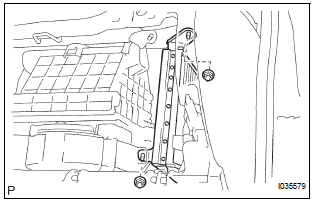
- Install the stereo component amplifier assembly with the 2 nuts.
- Connect the connectors.
2. INSTALL GLOVE COMPARTMENT DOOR ASSEMBLY
 Installation
1. INSTALL RADIO NO. 2 BRACKET
Install radio No. 2 bracket with the 4 screws.
2. INSTALL RADIO NO. 1 BRACKET
Install radio No. 1 bracket with the 4 screws.
3. INSTALL R ...
 Television display
COMPONENTS
Removal
1. REMOVE TELEVISION BASE
Release the 4 clips and remove the television base.
2. REMOVE TELEVISION DISPLAY ASSEMBLY
Disconnect the connector and r ...
Other materials:
Master cylinder pressure sensor check (when using sst check wire)
(a) Leave the vehicle in a stationary condition and
release the brake pedal for 1 second or more, and
quickly depress the brake pedal with a force of 98 N
(10 kgf, 22 lbf) or more for 1 second or more.
(b) Check the ABS warning light stays on for 3
seconds.
HINT:
At this time, the ABS wa ...
No Communication in Immobiliser System
DTC B2796 No Communication in Immobiliser System
DTC B2798 Communication Malfunction No. 2
DESCRIPTION
These codes are stored in the memory when a key that does not have a
transponder chip is inserted or if
communication between the key and transponder key ECU is impossible.
DTC No ...
Fuel Pump Control Circuit
DESCRIPTION
The FUEL PUMP relay switches the fuel pump speed according to the engine
conditions. The fuel pump
operates when the ECM receives the starter-operating signal (STA) and
crankshaft-rotating signal (NE).
The FUEL PUMP relay is turned ON while the engine is idling or operating at l ...
