
Toyota Sienna Service Manual: Terminals of ECU
1. RADIO RECEIVER (10 SPEAKER SYSTEM)
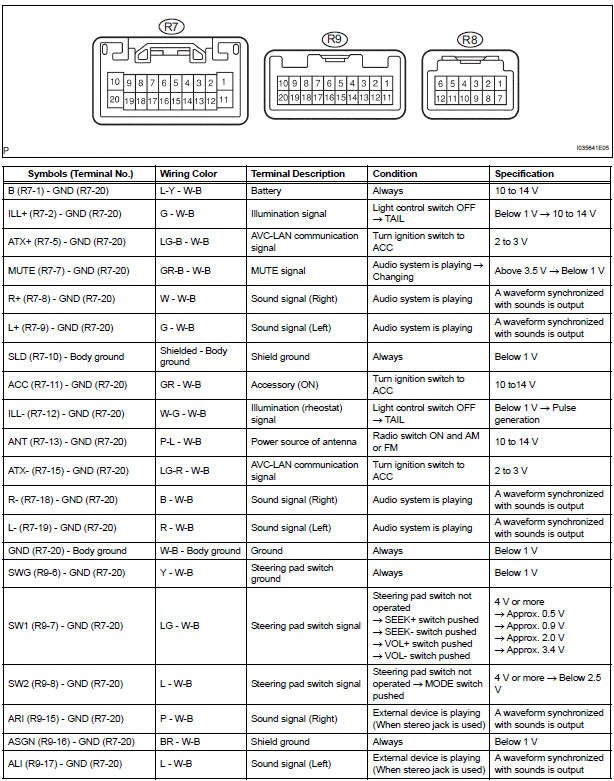
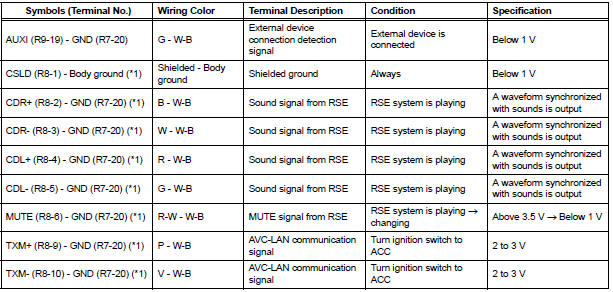
*1: with Rear Seat Entertainment System
2. RADIO RECEIVER (6 SPEAKER SYSTEM)
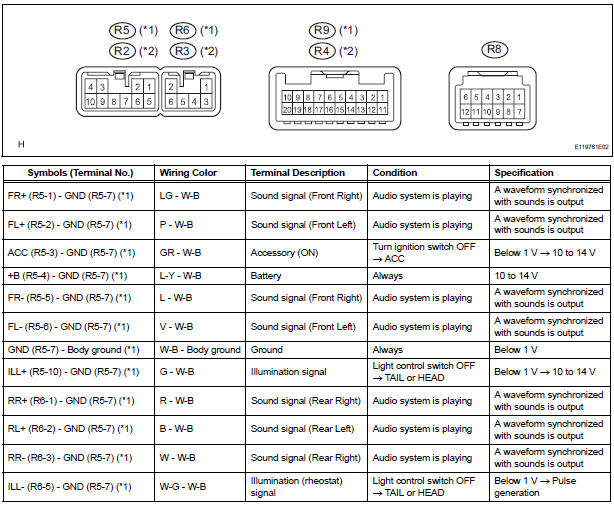
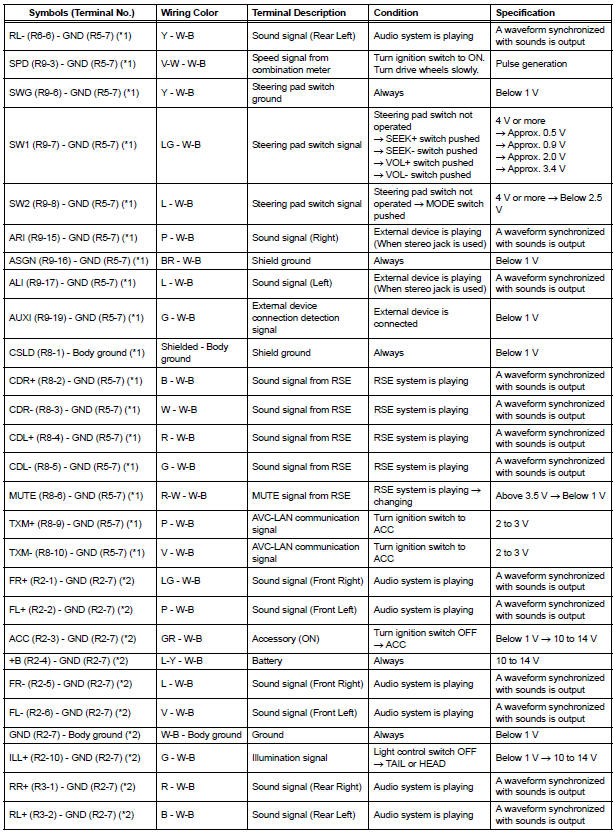
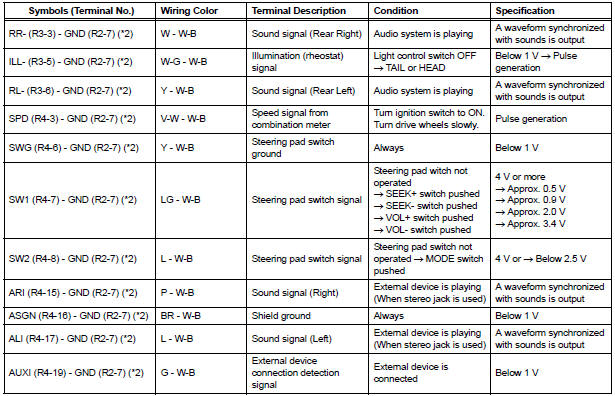
*1: with Rear Seat Entertainment System
*2: without Rear Seat Entertainment System
3. STEREO COMPONENT AMPLIFIER
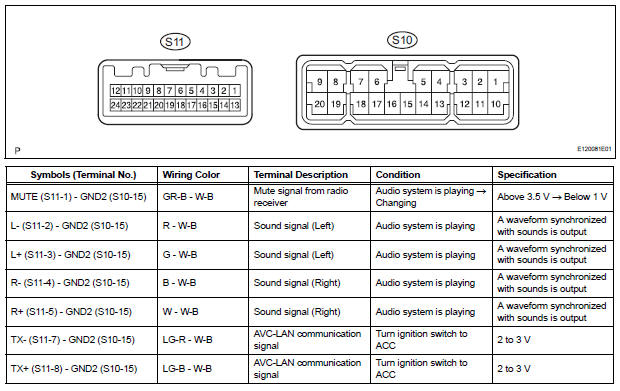
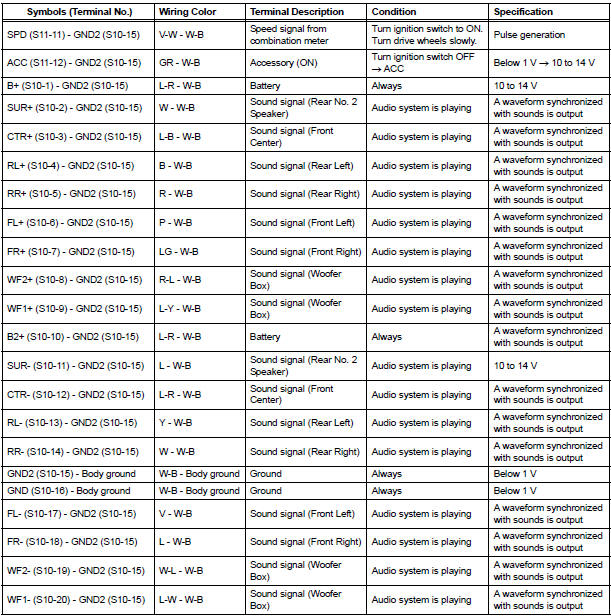
4. TELEVISION DISPLAY ASSEMBLY
 Problem symptoms table
HINT:
Before inspecting the suspected areas listed in the table
below, check the fuse and relay.
Before inspecting the suspected areas listed in the table
below, check for DTCs.
...
 DTC check / clear
HINT: If the system cannot enter the diagnostic mode,
inspect all AVC-LAN communication signals and repair or replace problem parts.
1. STARTING DIAGNOSTIC MODE
Turn the ignition swit ...
Other materials:
Removal
1. REMOVE REAR WHEEL
2. REMOVE REAR SHOCK ABSORBER CAP LH
(a) Remove the shock absorber head cover.
(b) Remove the shock absorber cap LH.
3. REMOVE SHOCK ABSORBER ASSEMBLY REAR LH
(a) Support the rear axle beam with a jack.
(b) Using a 6 mm hexagon wrench to hold the piston
rod, ...
Calculation formula for your vehicle
Cargo capacity
Total load capacity (vehicle capacity weight)
When 2 people with the combined weight of A lb. (kg) are riding in
your vehicle, which has a total load capacity (vehicle capacity weight)
of B lb. (kg), the available amount of cargo and luggage load capacity
will be C lb. ...
On-vehicle inspection
1. INSPECT COOLER CONDENSER CORE
(a) If the fin of the cooler condenser core is dirty, clean
it with water and dry it with compressed air.
NOTICE:
Do not damage the fin of the cooler condenser
core.
(b) If the fin of the cooler condenser core is bent, make
it straight using a screwdriver or p ...
