
Toyota Sienna Service Manual: Disassembly
1. REMOVE CENTER CLUSTER MODULE KNOB NO.1 (for Manual Air Conditioning System)
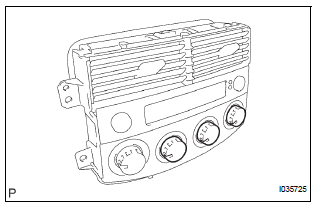
(a) Remove the center cluster module knob No. 1.
2. REMOVE CENTER CLUSTER MODULE KNOB NO.2 (for Manual Air Conditioning System)
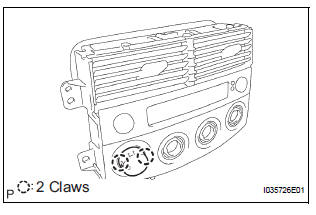
(a) Release the 2 claws fittings and remove the center cluster module knob No. 2.
NOTICE: Take care not to break the claws on the knob.
3. REMOVE AIR CONDITIONER AMPLIFIER ASSEMBLY (for Manual Air Conditioning System)
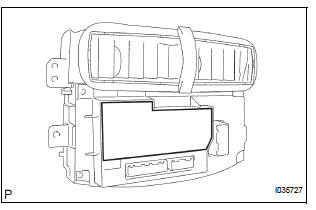
(a) Remove the plate.
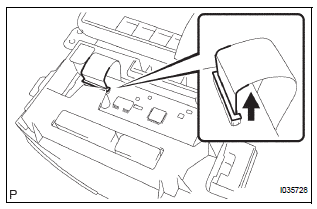
(b) Release the lock of the connector and disconnect the cable.
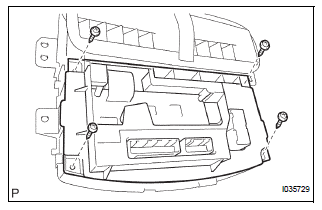
(c) Remove the 4 screws, and the heater control housing.
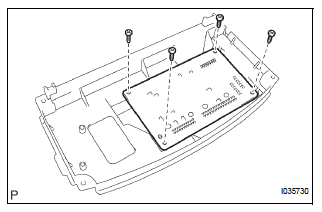
(d) Remove the 4 screws, and the air conditioner amplifier assembly.
4. REMOVE AIR CONDITIONER AMPLIFIER ASSEMBLY (for Automatic Air Conditioning System)
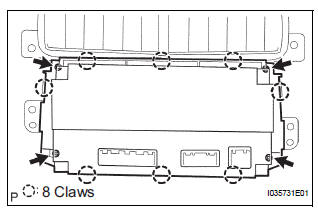
(a) Release the 8 claw fittings and remove the 4 screws and the heater control housing.
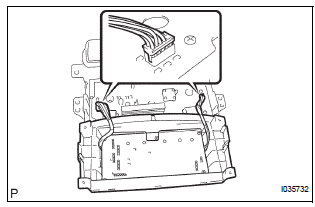
(b) Disconnect the 2 connectors.
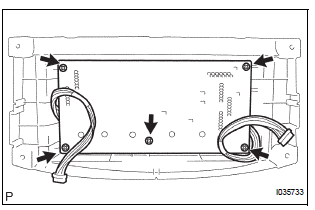
(c) Remove the 5 screws and the air conditioner amplifier assembly.
5. REMOVE INTEGRATION CONTROL AND PANEL BULB (for Manual Air Conditioning System)
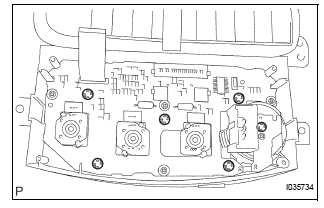
(a) Remove the integration control & panel bulb.
6. REMOVE HEATER BLOWER SWITCH (for Manual Air Conditioning System)
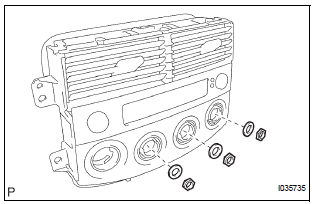
(a) Remove the 3 nuts, and the 3 washers.
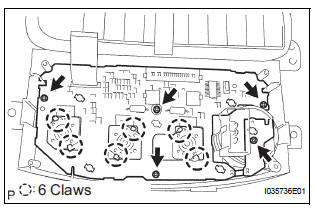
(b) Release the 6 claw fittings and remove the 5 screws and printed wire integration board sub-assembly.
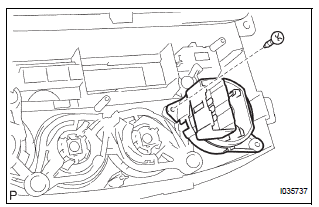
(c) Remove the screw and the heater blower switch.
7. REMOVE PRINTED WIRE INTEGRATION BOARD SUB-ASSEMBLY (for Automatic Air Conditioning System)
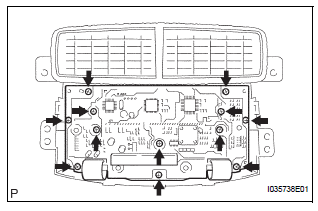
(a) Remove the 12 screws and the printed wire integration board sub-assembly.
8. REMOVE CLOCK ORNAMENT
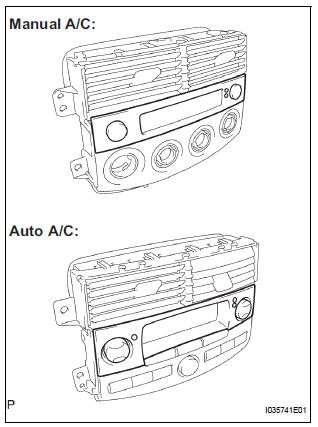
(a) Remove the clock ornament
9. REMOVE CENTER CLUSTER MODULE KNOB NO.5 (for Automatic Air Conditioning System)
10. REMOVE CENTER CLUSTER MODULE KNOB NO.6 (for Automatic Air Conditioning System)
 Removal
1. REMOVE INSTRUMENT CLUSTER FINISH PANEL
CENTER NO.1 (See page IP-8)
2. REMOVE INSTRUMENT CLUSTER FINISH PANEL
CENTER NO.2
3. REMOVE SHIFT LEVER KNOB SUB-ASSEMBLY
HINT:
(See page AX-146 for U15 ...
 Reassembly
1. INSTALL CENTER CLUSTER MODULE KNOB NO.6
(for Automatic Air Conditioning System)
2. INSTALL CENTER CLUSTER MODULE KNOB NO.5
(for Automatic Air Conditioning System)
3. INSTALL CLOCK ORNAMENT
4. ...
Other materials:
Auxiliary boxes
Type A
Push the lid.
Type B
Push down the knob.
Type C (if equipped)
Type D
Type E (if equipped)
Type F
Lift the lid.
Type G (if equipped)
Removing the second center seat.
Type H (if equipped)
Type I (if equip ...
Installation
1. INSTALL OCCUPANT CLASSIFICATION ECU
Check that the ignition switch is off.
Check that the negative battery (-) terminal is
disconnected.
CAUTION:
After disconnecting the negative battery
terminal, wait for at least 90 seconds before
starting the operation.
&nbs ...
Disc cannot be Played/ No Playable Files/ Copyright Protection Error
DTC 63-7D Disc cannot be Played
DTC 63-7E No Playable Files
DTC 63-7F Copyright Protection Error
DESCRIPTION
DTC No.
DTC Detection Condition
Trouble Area
63-7D
An incompatible MP3 / WMA file is used.
Although the file has an extension of &quo ...
