
Toyota Sienna Service Manual: No. 2 Ultrasonic sensor
COMPONENTS
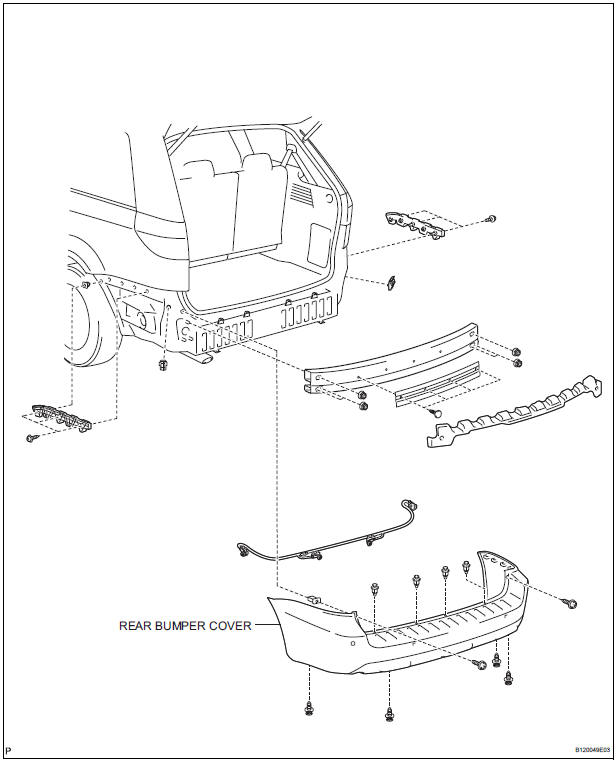
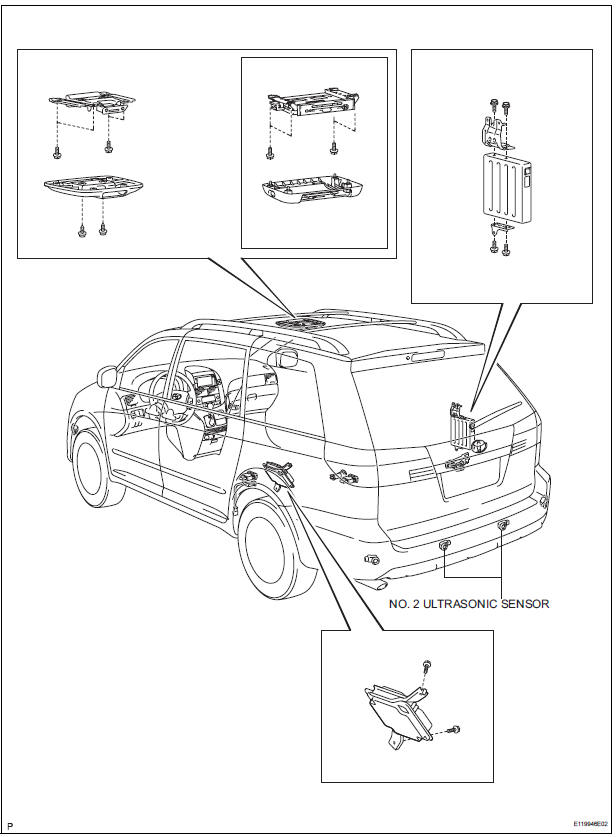
REMOVAL
1. REMOVE REAR BUMPER COVER (2)
2. REMOVE NO. 1 ULTRASONIC SENSOR RETAINER
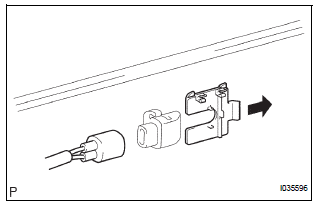
- Remove the No. 1 ultrasonic sensor retainer as shown in the illustration
3. REMOVE NO. 2 ULTRASONIC SENSOR
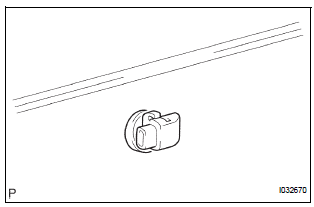
- Disconnect the connector and remove the No. 2 ultrasonic sensor
INSPECTION
1. INSPECT NO.2 ULTRASONIC SENSOR
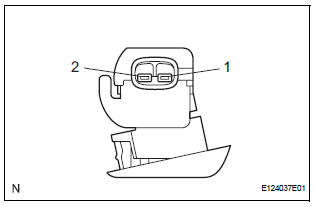
- Measure the resistance according to the value(s) in the table below.
Standard resistance

If the result is not as specified, replace No.2 ultrasonic sensor
INSTALLATION
1. INSTALL NO. 2 ULTRASONIC SENSOR
- Connect the connector and install the No. 2 ultrasonic sensor.
2. INSTALL NO. 1 ULTRASONIC SENSOR RETAINER
- Install the No. 1 ultrasonic sensor retainer.
3. INSTALL REAR BUMPER COVER
 No. 1 Ultrasonic sensor
COMPONENTS
REMOVAL
1. REMOVE FRONT FENDER LINER LH
2. REMOVE FRONT FENDER LINER RH
3. REMOVE FRONT BUMPER COVER
4. REMOVE REAR BUMPER COVER (2)
5. REMOVE NO. 1 ULTRASONIC SENSOR RETAINER
...
 Television camera
COMPONENTS
REMOVAL
1. REMOVE BACK DOOR GARNISH CENTER
HINT:
Back Door:
Power Back Door:
2. REMOVE BACK DOOR SIDE GARNISH LH
HINT:
Back Door:
Pow ...
Other materials:
Reverse Signal Circuit
DESCRIPTION
The radio and navigation assembly receives a reverse signal from the
park/neutral position switch.
WIRING DIAGRAM
INSPECTION PROCEDURE
1 INSPECT RADIO AND NAVIGATION ASSEMBLY
Disconnect the radio and navigation assembly connector
R12.
Measure the voltage accor ...
Installation
1. INSTALL OCCUPANT CLASSIFICATION ECU
Check that the ignition switch is off.
Check that the negative battery (-) terminal is
disconnected.
CAUTION:
After disconnecting the negative battery
terminal, wait for at least 90 seconds before
starting the operation.
&nbs ...
Disassembly
HINT:
When the battery is reconnected, the back door is locked and
cannot be opened. Therefore, it is necessary to unlock the
back door using the door control switch or transmitter switch.
1. REMOVE BACK DOOR SCUFF PLATE (See page ET-
18)
2. REMOVE QUARTER TRIM PANEL ASSEMBLY
FRONT LH
3. REM ...
