
Toyota Sienna Service Manual: Television camera
COMPONENTS
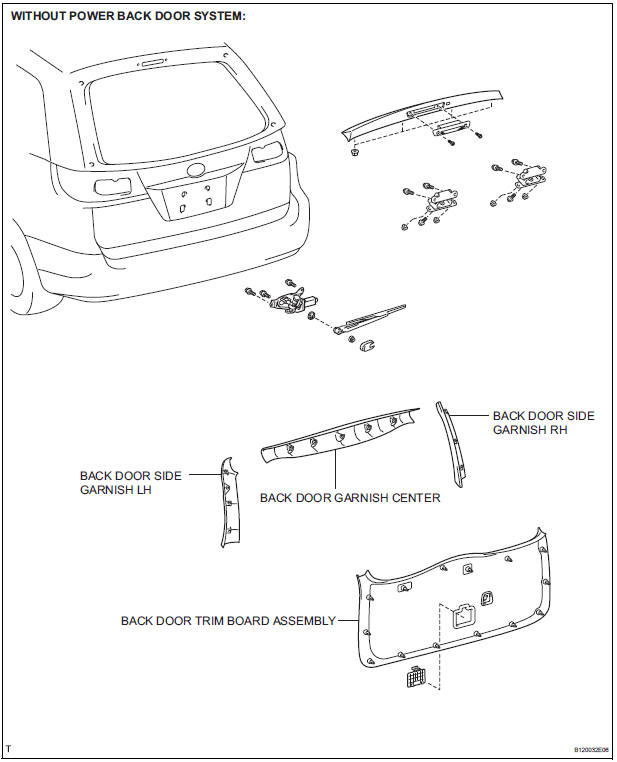
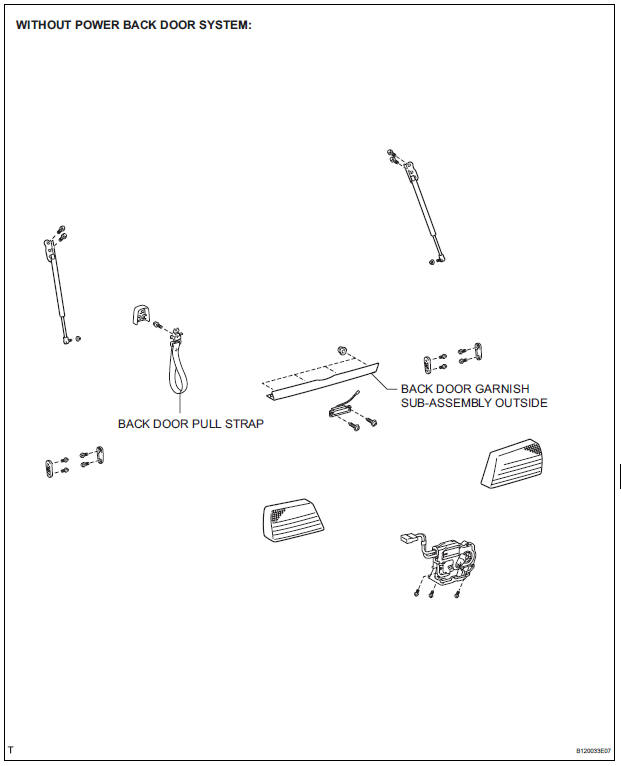
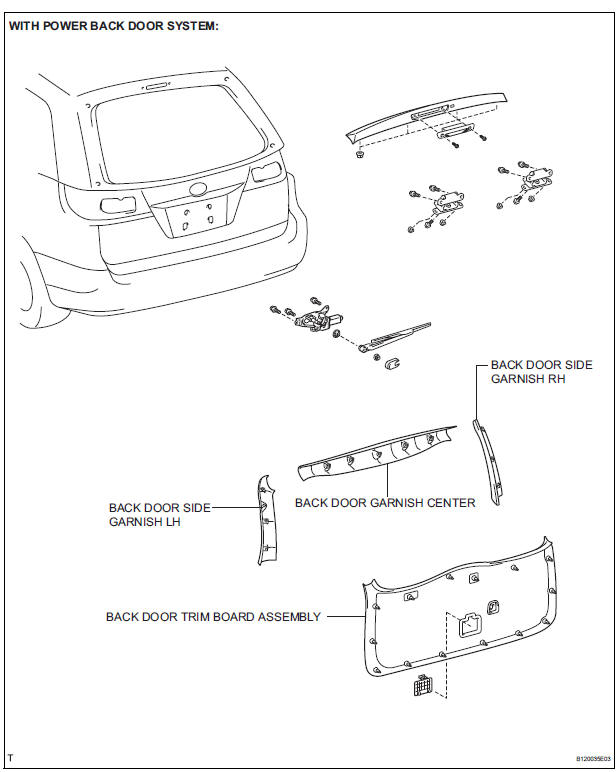
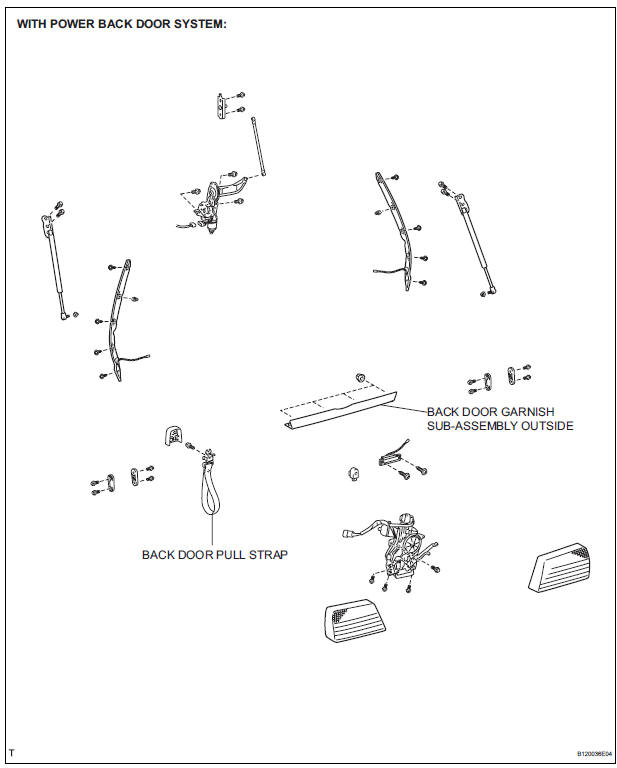
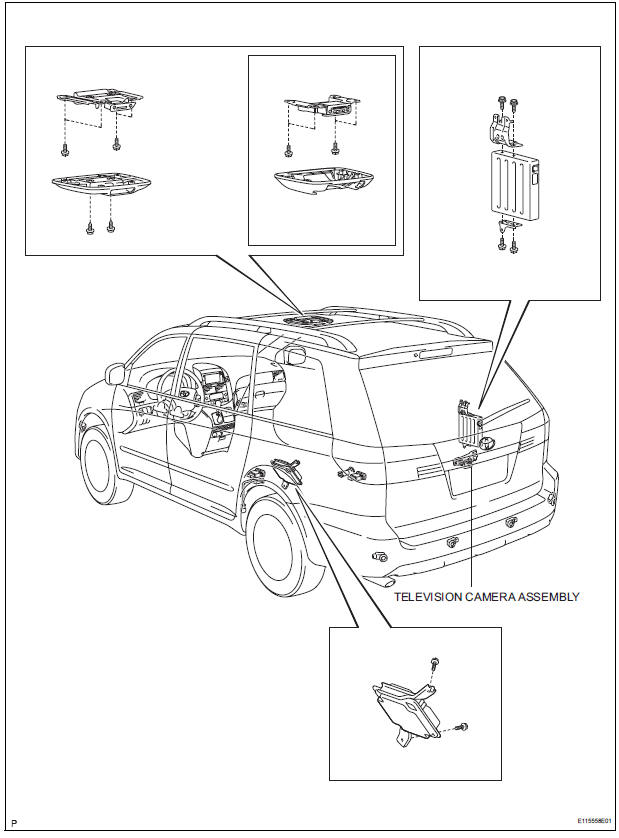
REMOVAL
1. REMOVE BACK DOOR GARNISH CENTER
HINT:
- Back Door:
- Power Back Door:
2. REMOVE BACK DOOR SIDE GARNISH LH
HINT:
- Back Door:
- Power Back Door:
3. REMOVE BACK DOOR SIDE GARNISH RH
- Back Door:
- Power Back Door:
4. REMOVE BACK DOOR PULL STRAP
- Back Door:
- Power Back Door:
5. REMOVE BACK DOOR TRIM BOARD ASSEMBLY
- Back Door:
- Power Back Door:
6. REMOVE BACK DOOR GARNISH SUB-ASSEMBLY OUTSIDE
- Back Door:
- Power Back Door:
7. REMOVE TELEVISION CAMERA ASSEMBLY
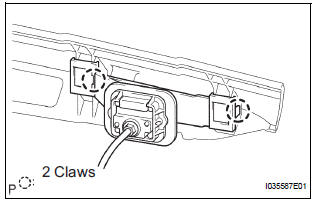
- Release the 2 claw fittings and remove the television camera assembly.
INSTALLATION
1. INSTALL TELEVISION CAMERA ASSEMBLY
2. INSTALL BACK DOOR GARNISH SUB-ASSEMBLY OUTSIDE
3. INSTALL BACK DOOR TRIM BOARD ASSEMBLY
4. INSTALL BACK DOOR PULL STRAP
HINT:
- Back Door:
- Power Back Door:
5. INSTALL BACK DOOR SIDE GARNISH RH
6. INSTALL BACK DOOR SIDE GARNISH LH
7. INSTALL BACK DOOR GARNISH CENTER
 No. 2 Ultrasonic sensor
COMPONENTS
REMOVAL
1. REMOVE REAR BUMPER COVER (2)
2. REMOVE NO. 1 ULTRASONIC SENSOR RETAINER
Remove the No. 1 ultrasonic sensor retainer as
shown in the illustration
3. REMO ...

Other materials:
Open in Occupant Classification ECU Battery
Positive Line
DTC B1794 Open in Occupant Classification ECU Battery
Positive Line
DESCRIPTION
This circuit consists of the occupant classification ECU and the power source
circuit (battery, fuse, wire
harness).
DTC B1794 is recorded when a malfunction is detected in the occupant
classification ECU or t ...
Initialization
1. RESET
When the battery is reconnected:
The back door is locked and therefore cannot be
opened. Therefore, it is necessary to unlock the
back door using the door control switch or
transmitter switch.
Reset the power back door system:
The power back door ECU records the ...
Power slide door control motor and clutch
INSPECTION
1. INSPECT SLIDE DOOR CONTROL MOTOR AND CLUTCH ASSEMBLY LH
Remove the motor and clutch.
Connect the battery positive (+) lead to terminal 3
and the battery negative (-) lead to terminal 2.
Apply battery voltage to the terminals and check the
motor operation.
OK
If ...
