
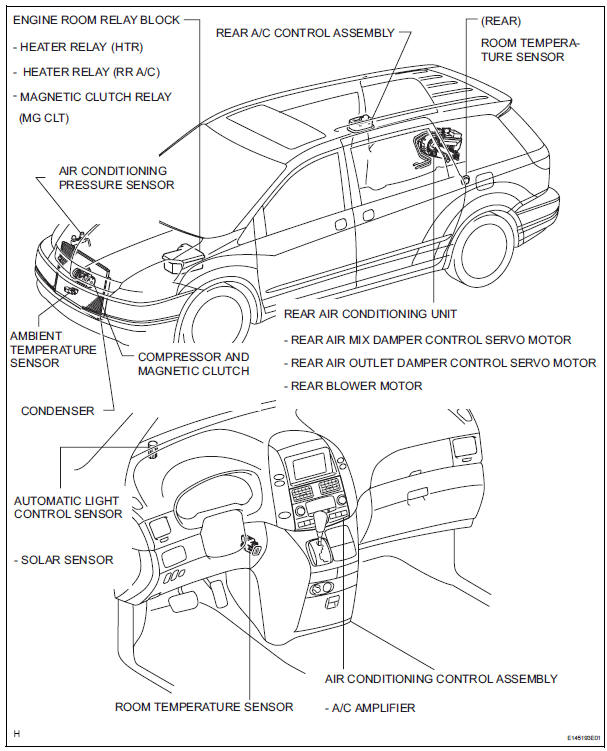
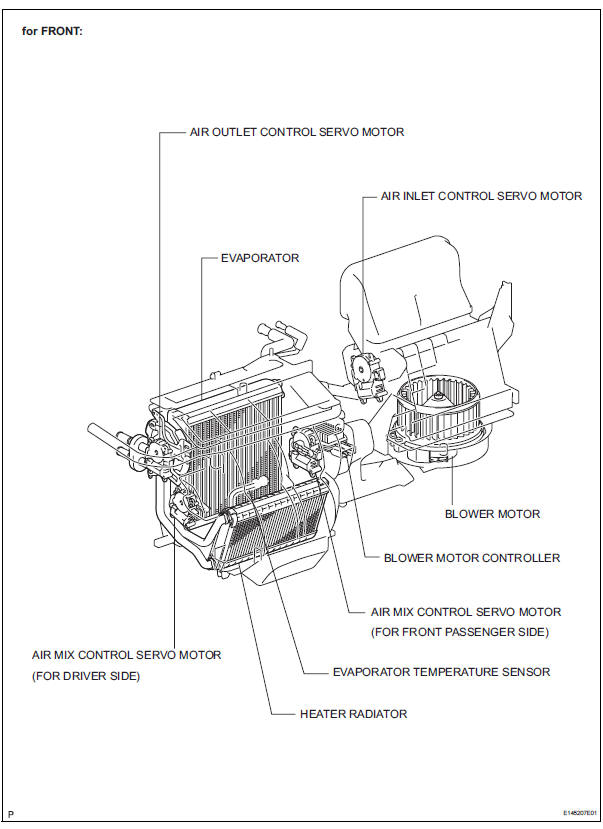
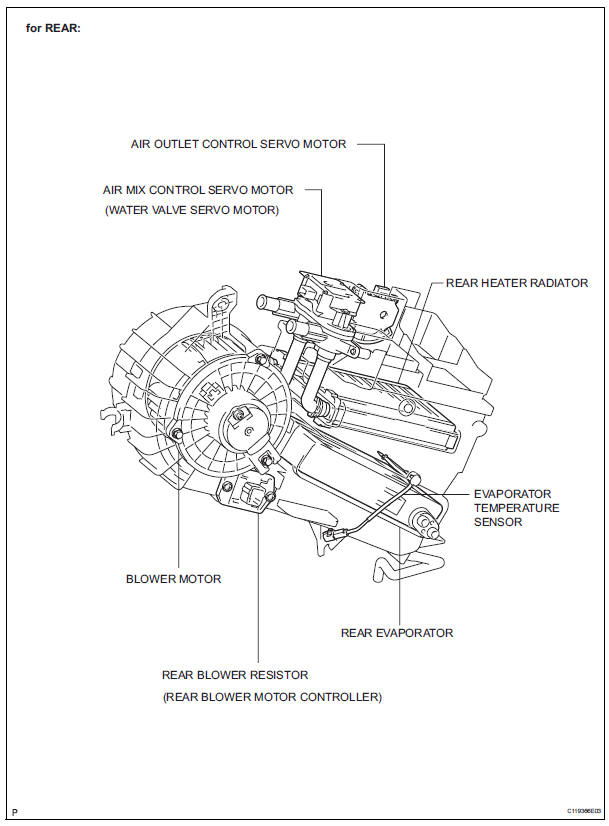
Toyota Sienna Service Manual: Parts location
HOW TO PROCEED WITH TROUBLESHOOTING
1 VEHICLE BROUGHT TO WORKSHOP

2 CUSTOMER PROBLEM ANALYSIS
(a) Confirm problem symptoms.

3 CHECK AND CLEAR DTCS

4 PROBLEM SYMPTOM CONFIRMATION
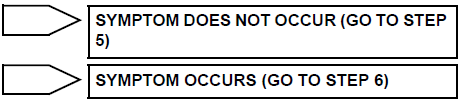
5 SYMPTOM SIMULATION

6 DTC CHECK (OTHER THAN MULTIPLEX DTC)

7 DTC CHART

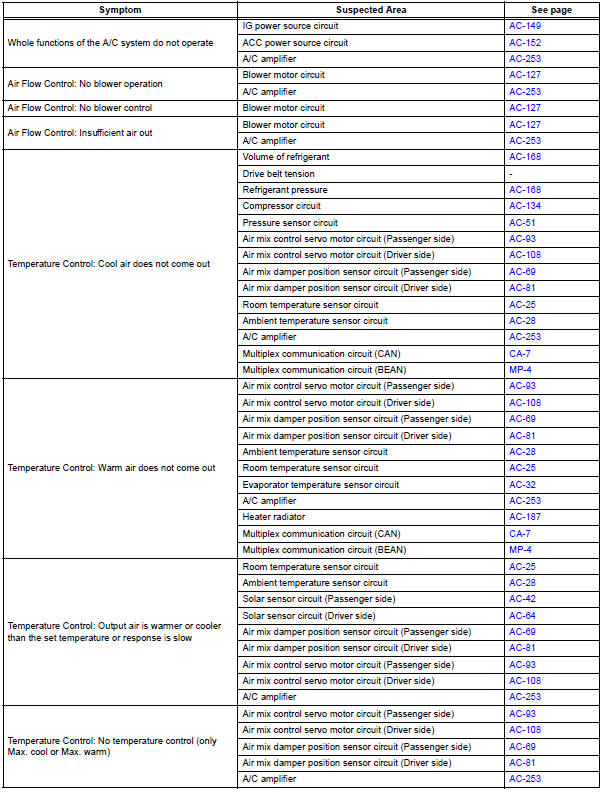
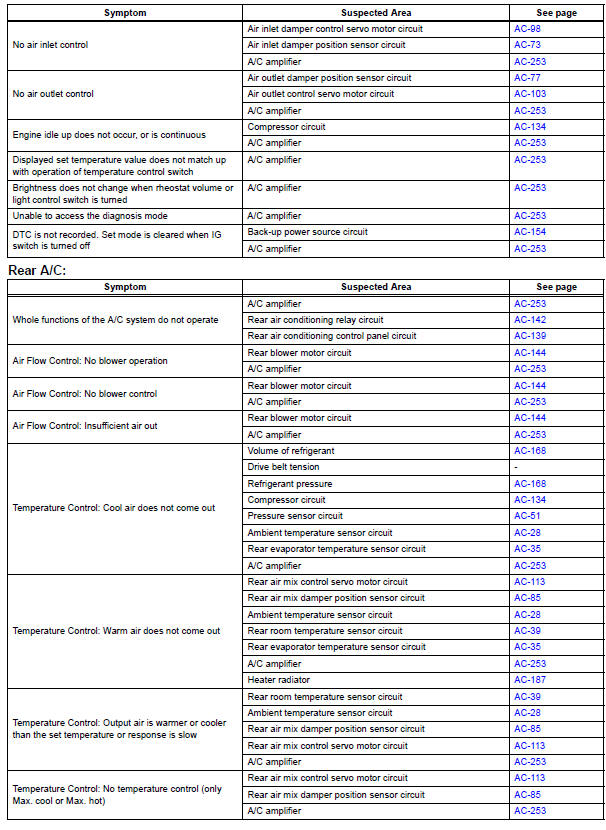
8 PROBLEM SYMPTOMS TABLE

9 TERMINALS OF ECU

10 CIRCUIT INSPECTION

11 IDENTIFICATION OF PROBLEM

12 REPAIR OR REPLACE

13 CONFIRMATION TEST

END
Problem symptoms table
Front A/C:

 Precaution
NOTICE:
Because the compressor operates at high voltages, wear
electric insulated gloves and pull out the service plug to
cut the high-voltage circuit before inspection.
1. DO NOT HANDLE REFRIGERA ...
 Terminals of ecu
1. A/C AMPLIFIER
(a) Waveform 1:
(b) Waveform 2:
(c) Waveform 3: ...
Other materials:
Description of initialization
(a) Perform initialization in the following cases:
Before delivery of a new vehicle.
After replacement of the tire pressure warning
ECU*.
After replacement of the tire pressure warning
valve and transmitter.
Specified tire pressure changes depending on
the size or type of the tire.
...
SFR Solenoid Circuit
DESCRIPTION
This solenoid goes on when signals are received from the ECU and controls the
pressure acting on the
wheel cylinders to control the braking force.
WIRING DIAGRAM
INSPECTION PROCEDURE
1 RECONFIRM DTC
HINT:
This code is detected when a problem is determined in the
bra ...
Inspection
1. Inspect generator clutch pulley
(a) Hold the center of the pulley, and confirm that the
outer ring turns counterclockwise and does not turn
clockwise.
If the result is not as specified, replace the clutch
pulley.
2. Remove generator drive end frame bearing
(a) Check that the bear ...
