
Toyota Sienna Service Manual: No. 1 Speaker with box
COMPONENTS
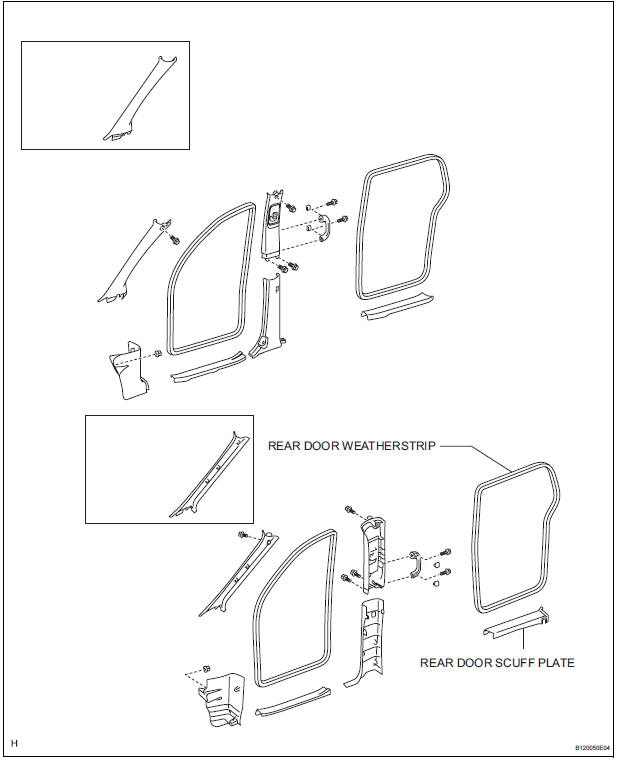
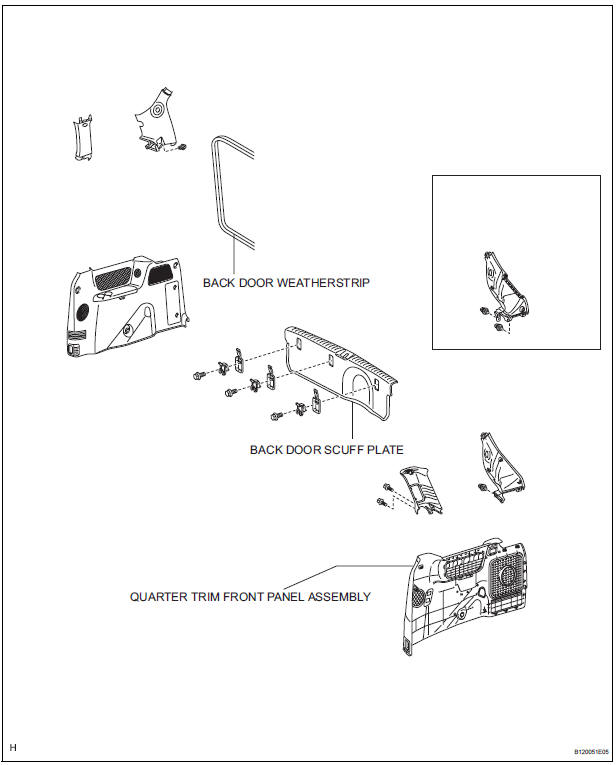
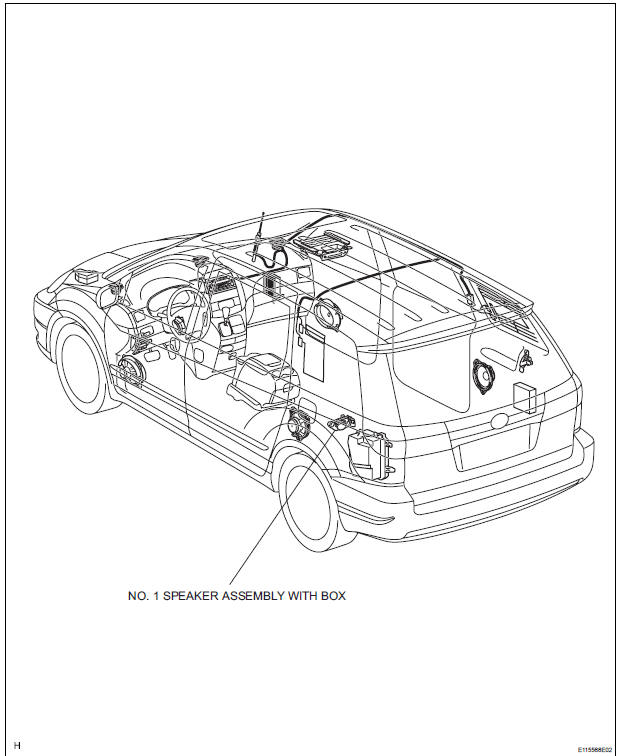
ON-VEHICLE INSPECTION
1. INSPECT NO.1 SPEAKER WITH BOX
HINT: Remove interior parts so that the No.1 speaker with box can be seen.
- Check the speaker installation.
OK: The speaker is securely installed.
If the result is not as specified, reinstall the No.1 speaker with box.
- Visually check the speaker.
OK: The cone paper of the speaker is not torn.
If the result is not as specified, replace the No.1 speaker with box.
REMOVAL
1. REMOVE REAR DOOR SCUFF PLATE
2. REMOVE REAR DOOR WEATHERSTRIP
3. REMOVE BACK DOOR WEATHERSTRIP
4. REMOVE BACK DOOR SCUFF PLATE
5. REMOVE QUARTER TRIM FRONT PANEL ASSEMBLY
6. REMOVE NO. 1 SPEAKER ASSEMBLY WITH BOX
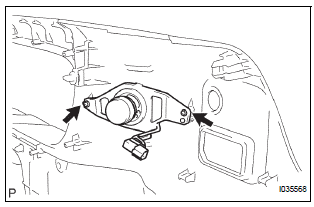
- Remove the 2 screws and No. 1 speaker assembly with box.
INSTALLATION
1. INSTALL NO. 1 SPEAKER ASSEMBLY WITH BOX
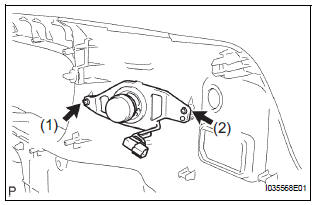
- Install the No. 1 speaker assembly with box with the 2 screws.
NOTICE: Tighten the screws in order shown in the illustration to install the No. 1 speaker assembly with box.
2. INSTALL QUARTER TRIM FRONT PANEL ASSEMBLY
3. INSTALL BACK DOOR SCUFF PLATE
4. INSTALL BACK DOOR WEATHERSTRIP
5. INSTALL REAR DOOR WEATHERSTRIP
6. INSTALL REAR DOOR SCUFF PLATE
 Rear speaker
COMPONENTS
ON-VEHICLE INSPECTION
1. INSPECT REAR SPEAKER
HINT:
Remove interior parts so that the rear speaker can be
seen.
Check the speaker installation.
OK:
The speaker is ...
 No. 2 Speaker with box
COMPONENTS
ON-VEHICLE INSPECTION
1. INSPECT NO.2 SPEAKER WITH BOX
HINT:
Remove interior parts so that the No.2 speaker with box
can be seen.
Check the speaker installation.
OK ...
Other materials:
Things you should know
If you notice any symptoms
If you notice any of the following symptoms, refer to the likely cause
and the solution, and re-check.
If the symptom is not resolved by the solution, have the vehicle
inspected by your Toyota dealer.
Likely cause
Solution
The ima ...
Removal
1. REMOVE REAR SEAT 3 POINT TYPE BELT
ASSEMBLY (for 8-Passenger)
HINT:
Refer to the instructions for disassembly of the rear No. 1
seat assembly (for center seat).
Remove the bolt and rear seat 3 point type belt
assembly.
2. REMOVE REAR SEAT 3 POINT TYPE BELT
ASSEMBLY (for 7-Pass ...
Distance Control ECU Malfunction
DTC P1617 Distance Control ECU Malfunction
DESCRIPTION
In the dynamic laser cruise control system, the ECM and the distance control
ECU communicate with one
another to control the system based on some designation information. If the
designation information of the
ECM and distance control ECU ...
