
Toyota Sienna Service Manual: Crankshaft position sensor
Components
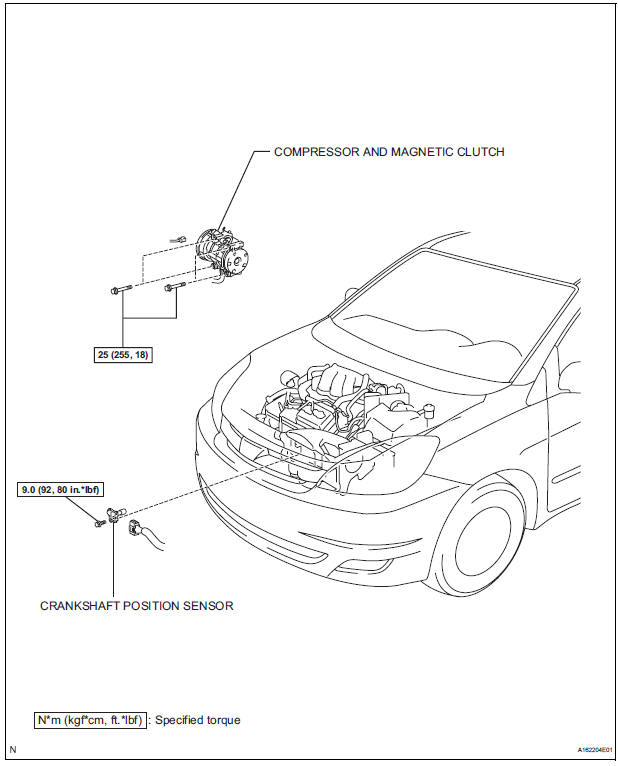
Removal
1. Remove compressor and magnetic clutch
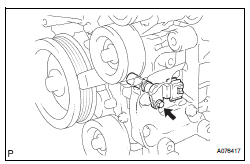
HINT: (See page AC-227 )
2. REMOVE CRANKSHAFT POSITION SENSOR
(a) Disconnect the crankshaft position sensor connector.
(b) Remove the bolt, and then remove the crankshaft position sensor.
INSPECTION
1. INSPECT CRANKSHAFT POSITION SENSOR
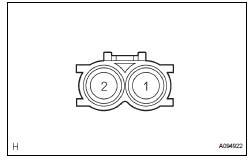
(a) Using an ohmmeter, measure the resistance between the terminals.
Standard resistance 
NOTICE:
|
If the resistance is not as specified, replace the crankshaft position sensor.
INSTALLATION
1. INSTALL CRANKSHAFT POSITION SENSOR
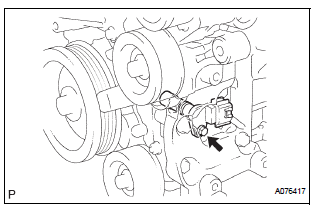
(a) Apply a light coat of engine oil to the O-ring on the crankshaft position sensor.
(b) Install the crankshaft position sensor with the bolt.
Torque: 9.0 N*m (92 kgf*cm, 80 in.*lbf) (c) Connect the crankshaft position sensor connector.
2. INSTALL COMPRESSOR AND MAGNETIC CLUTCH
HINT: (See page AC-231)
 Vvt sensor
COMPONENTS
ON-VEHICLE INSPECTION
1. CHECK VVT SENSOR OUTPUT VOLTAGE
(a) Turn the ignition switch to the ON position.
(b) Check the voltage between the specified terminal
and body grou ...
 Engine coolant temperature sensor
COMPONENTS
REMOVAL
1. DRAIN ENGINE COOLANT (See page CO-6)
2. REMOVE V-BANK COVER SUB-ASSEMBLY (See
page EM-28)
3. REMOVE NO. 2 AIR CLEANER INLET (See page EM-
28)
4. REMOVE NO. 1 AIR CLEAN ...
Other materials:
System description
1. BRIEF DESCRIPTION
The CAN (Controller Area Network) is a serial data
communication system for real time application. It is
a vehicle multiplex communication system which
has a high communication speed (500 kbps) and
the ability to detect malfunctions.
By pairing the CANH and CANL bu ...
Data list / active test
HINT:
By accessing the DATA LIST displayed on the intelligent
tester, you can perform such functions as reading the values
of switches and sensors without removing any parts. Reading
the DATA LIST as the first step in troubleshooting is one
method to shorten labor time.
1. DATA LIST FOR CENTER ...
Gateway ECU Communication Stop Mode
DESCRIPTION
Detection Item
Symptom
Trouble Area
Gateway ECU
Communication Stop
Mode
"Gateway" is not displayed on the "Communication
Bus Check" screen of the intelligent tester
Applies to "Gateway ECU Communication ...
