
Toyota Sienna Service Manual: Data list
HINT:
Reading the DATA LIST displayed on an intelligent tester enables values, including those of the switches, sensors, and actuators, to be checked without removing any parts. Reading the DATA LIST as the first step in troubleshooting is one method to shorten diagnostic time.
| NOTICE: In the table below, the values listed under Normal Condition are for reference only. Do not depend solely on these values when determining whether or not a part is faulty. |
(a) Warm up the engine.
(b) Turn the ignition switch off.
(c) Connect an intelligent tester to the DLC3.
(d) Start the engine.
(e) Turn the tester ON.
(f) Select the following menu items: DIAGNOSIS / ENHANCED OBD II / DATA LIST.
(g) Check the values by referring to the table below.
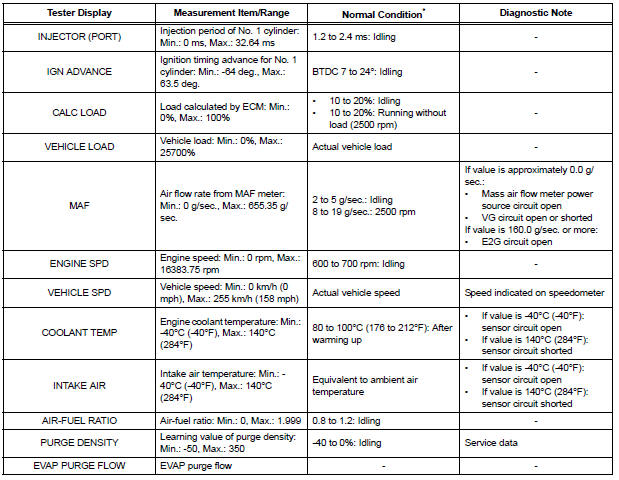
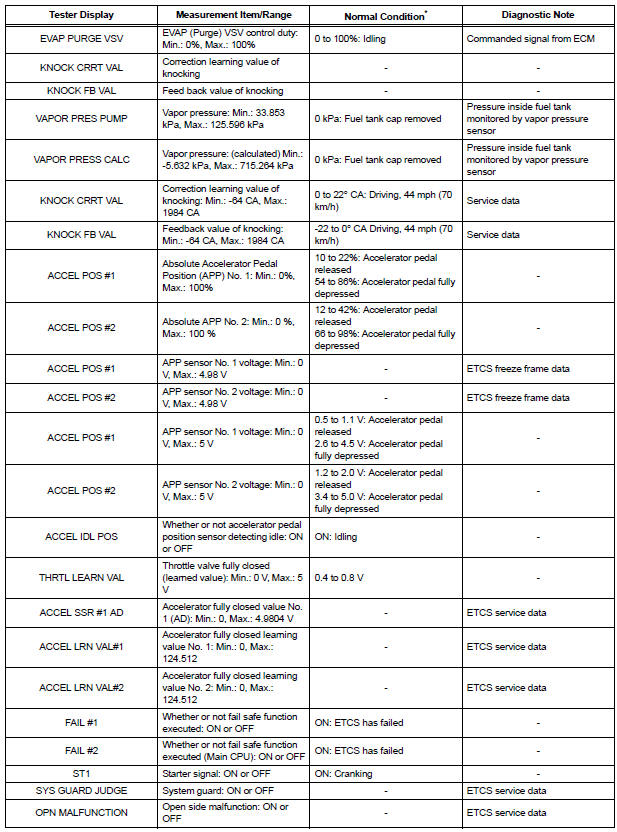
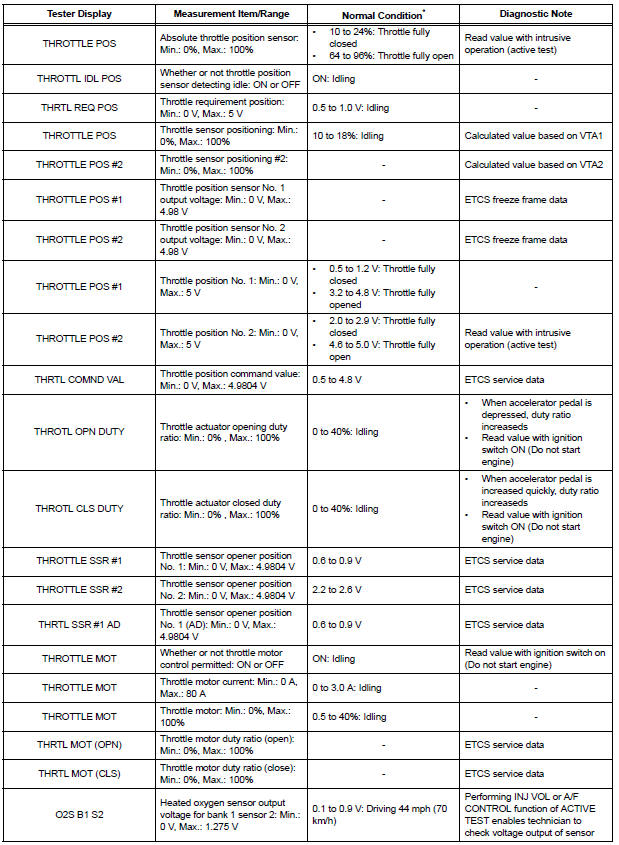
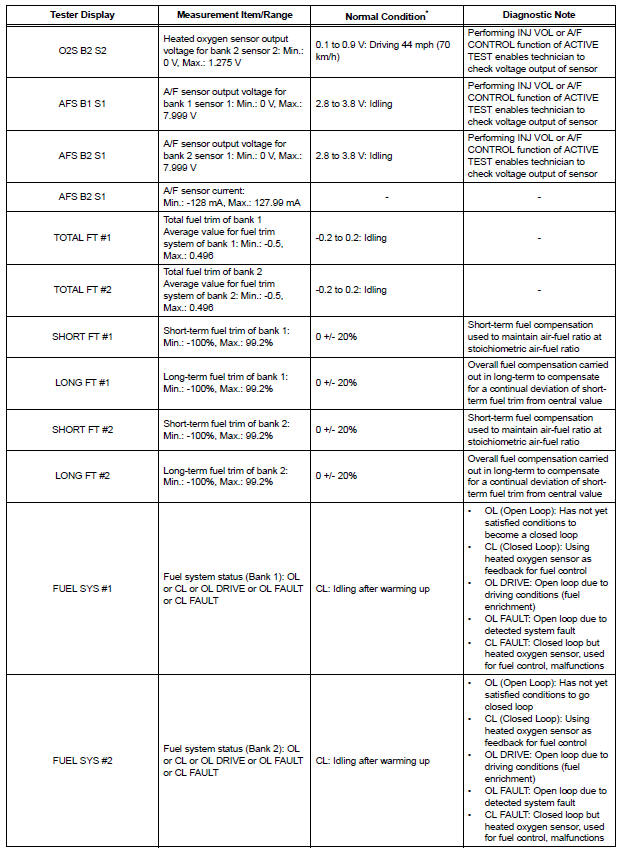
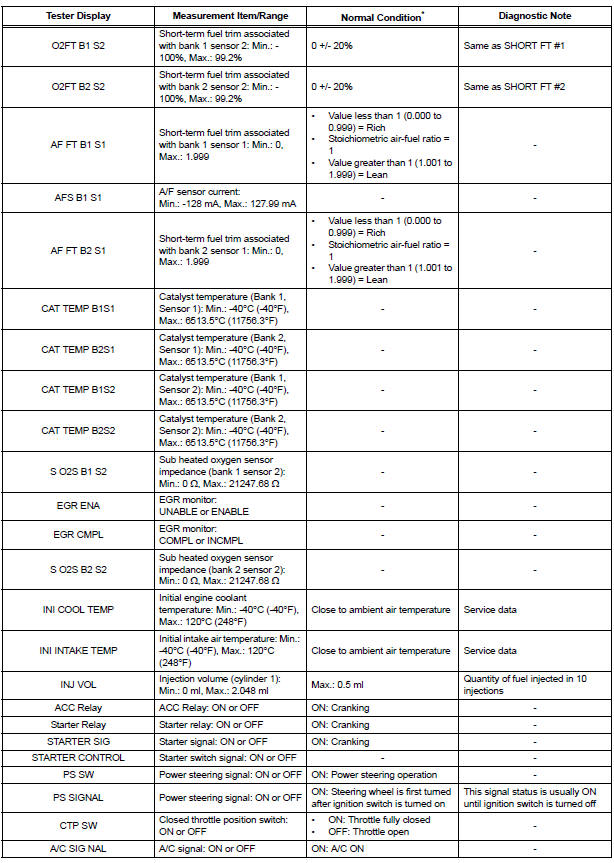
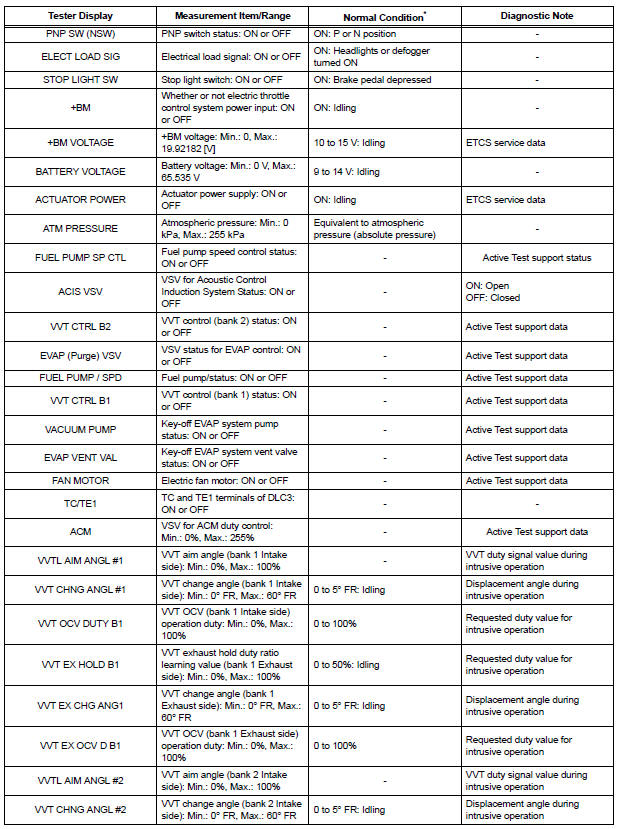
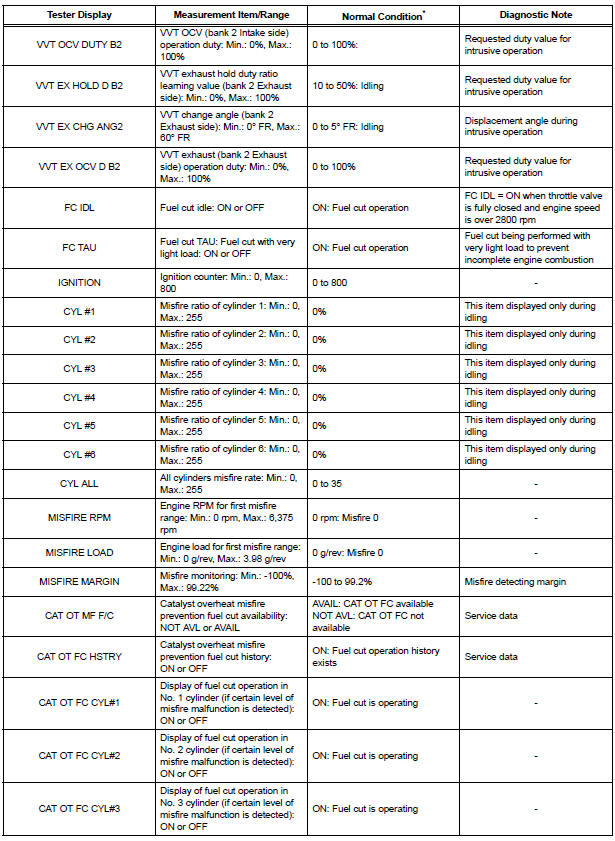
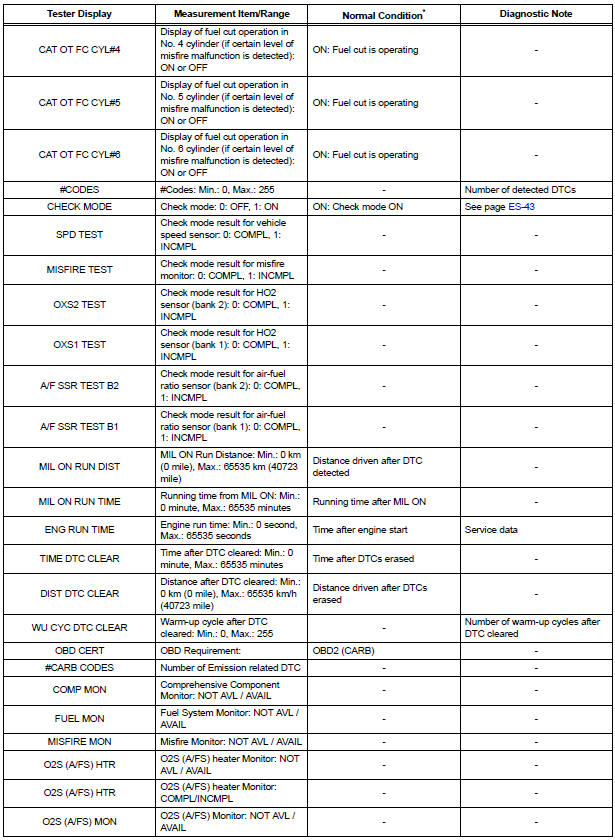
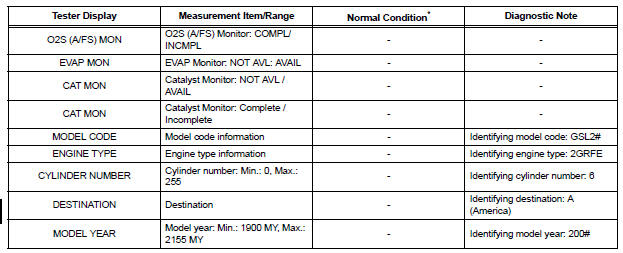
*: If no idling conditions are specified, the transmission gear selector lever should be in the N or P position, and the A/C switch and all accessory switches should be OFF.

 Active test
HINT:
Performing an ACTIVE TEST enables components
including the relays, VSV (Vacuum Switching Valve), and
actuators, to be operated without removing any parts.
The ACTIVE TEST can be performed ...
Other materials:
Power Source Circuit
DESCRIPTION
Power is supplied to the fold seat control ECU through the L-RR2 SEAT and
R-RR2 SEAT fuses.
WIRING DIAGRAM
INSPECTION PROCEDURE
1 INSPECT FUSE (L-RR2 SEAT, R-RR2 SEAT)
Remove the fuses from the R/B No. 3.
Measure the resistance according to the value(s) in the
...
Adjustment
HINT:
On the RH side, use the same procedures as on the LH
side.
Since a centering bolt is used as a door hinge mounting
bolt on the body side and the door side, the door can not
be adjusted with it on. Substitute a bolt with a washer for
the centering bolt.
1. INSPECT FRONT DOOR PA ...
TC and CG Terminal Circuit
DESCRIPTION
Connecting terminals TC and CG of the DLC3 causes the system to enter the
self-diagnostic mode. If a
malfunction is present, DTCs will be output.
HINT:
When a particular warning light remains blinking, a ground short in the wiring
of terminal TC of the DLC3
or an internal grou ...
